Batch Table Filling
Make data work feel effortless—and intelligent. Batch Table Filling brings Agent’s reasoning into your spreadsheet workflows. By connecting your knowledge bases, Agent can process each row independently: interpret the row context, retrieve the right references, and generate a tailored output—turning repetitive manual work into scalable automation.
Scenario-driven filling, in natural language
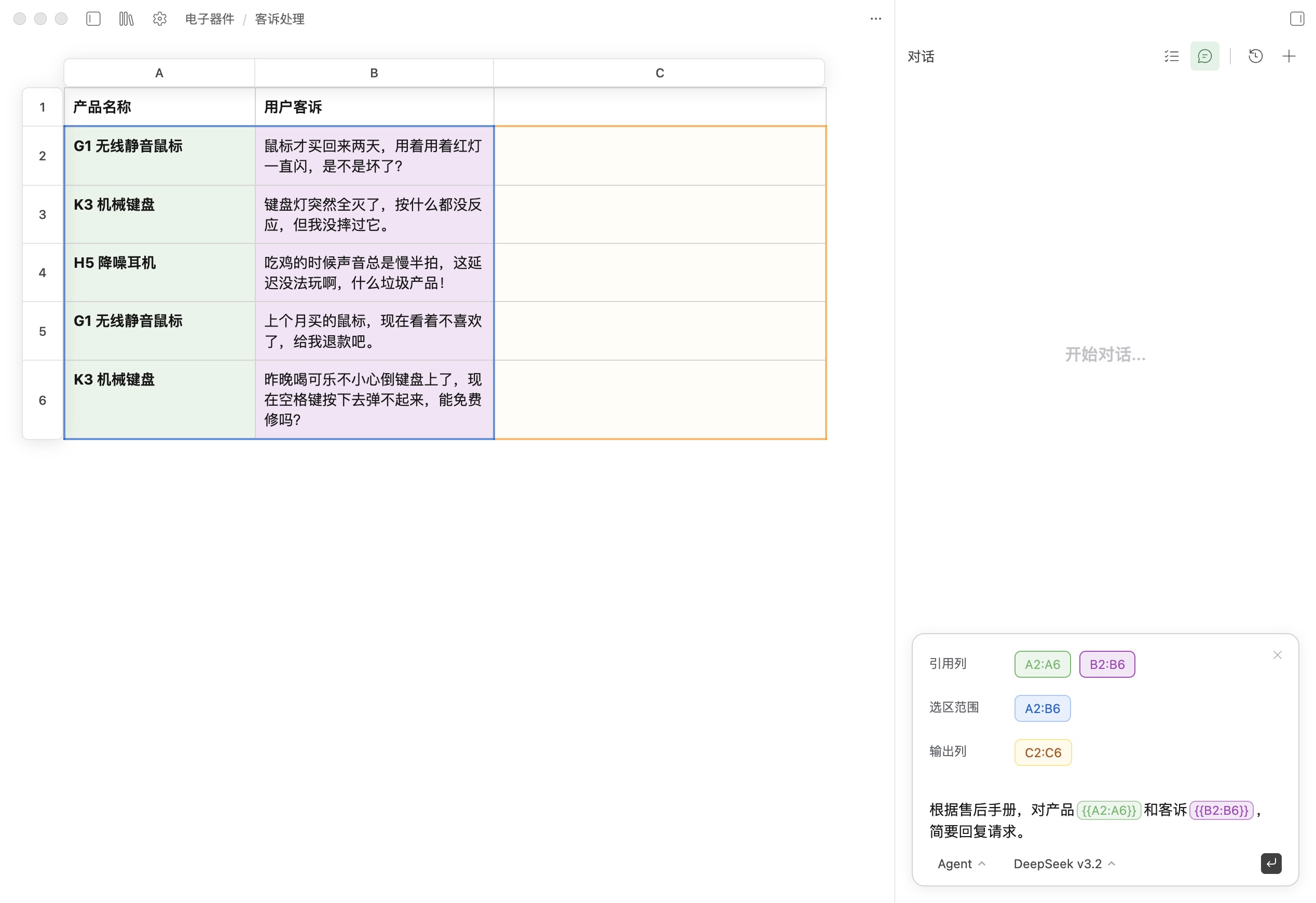
You’re no longer limited to formulas or scripts. Select a range, describe your requirement in plain language—whether it’s “reply to customer complaints based on the after-sales manual” or “screen resumes against a JD”—and Agent will use your knowledge base content to generate precise, per-row results.
Transparent reasoning, controllable outcomes
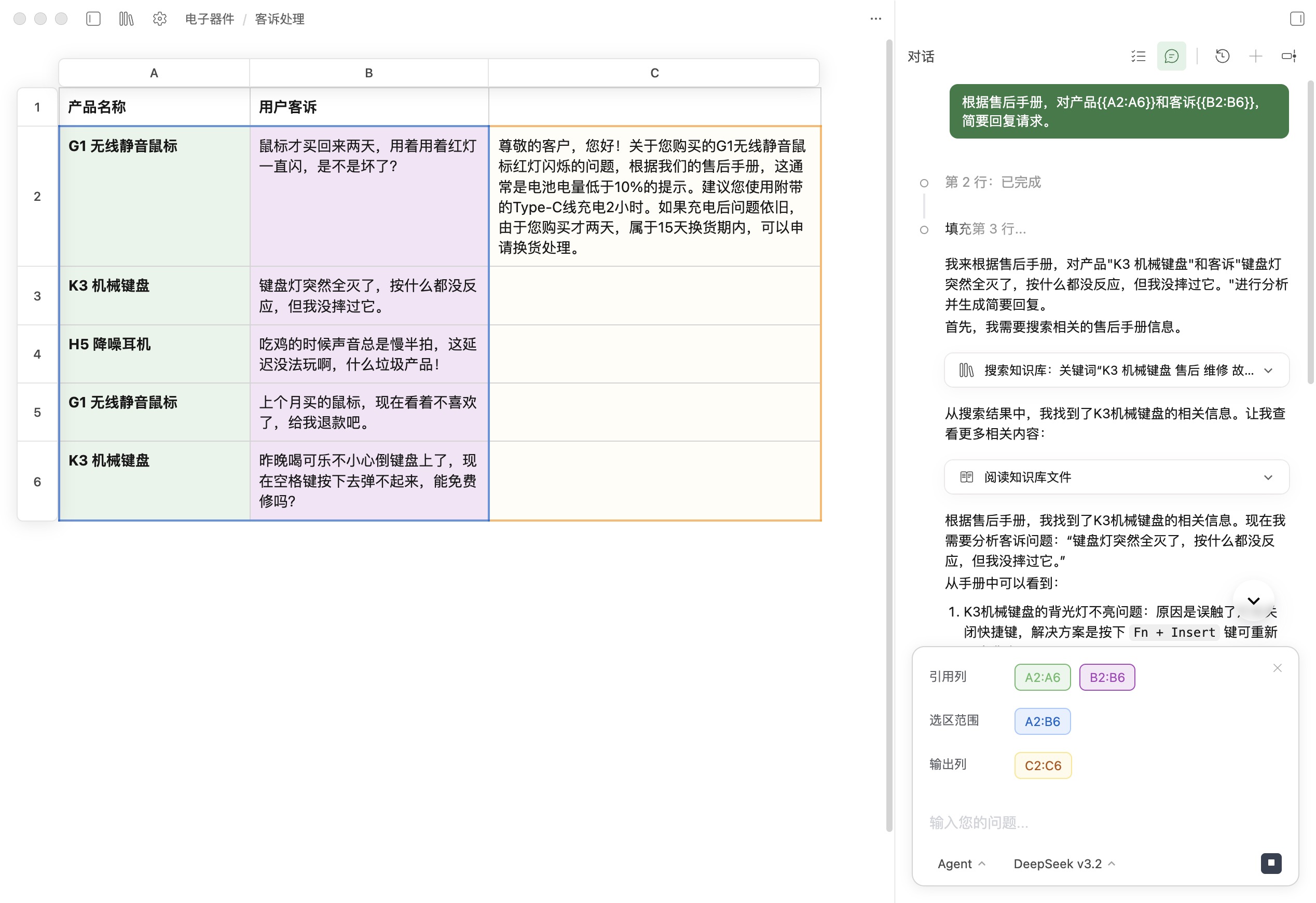
During batch processing, you can follow how Agent handles each row end-to-end: intent understanding, knowledge retrieval, and final generation. This makes the logic behind the output visible—so you stay in control and can trust the results.
Common use cases
- Customer complaint replies: Generate warm, policy-compliant responses grounded in your support docs and product manuals.
- Resume screening: Extract key strengths from large volumes of resumes and output a structured fit assessment against a JD.
- Review & feedback analysis: Summarize sentiment and actionable signals from user reviews to inform product iteration.
- Document-to-table extraction: Locate information across large, unstructured materials and fill it into structured columns reliably.
Download Linnya to create professional work more efficiently.
Download Free →