AI-Assisted Project Setup
At the start of a project, the hardest part is rarely “writing documents.” It’s aligning on what the problem actually is, where the boundaries are, and what the deliverables should look like. AI-Assisted Project Setup transforms this often ambiguous early phase into a short, structured flow: clarify first, generate next, and finalize everything as real, editable project documents.
Start with a conversation: AI guides the requirement definition
When you enter the Project Setup view, AI uses your project name and description to articulate its understanding in 2–3 sentences, then helps you sort out key questions—covering goals and success metrics, stakeholders and audience, expected outputs, and constraints—so you can transform a vague initial idea into specific execution goals.
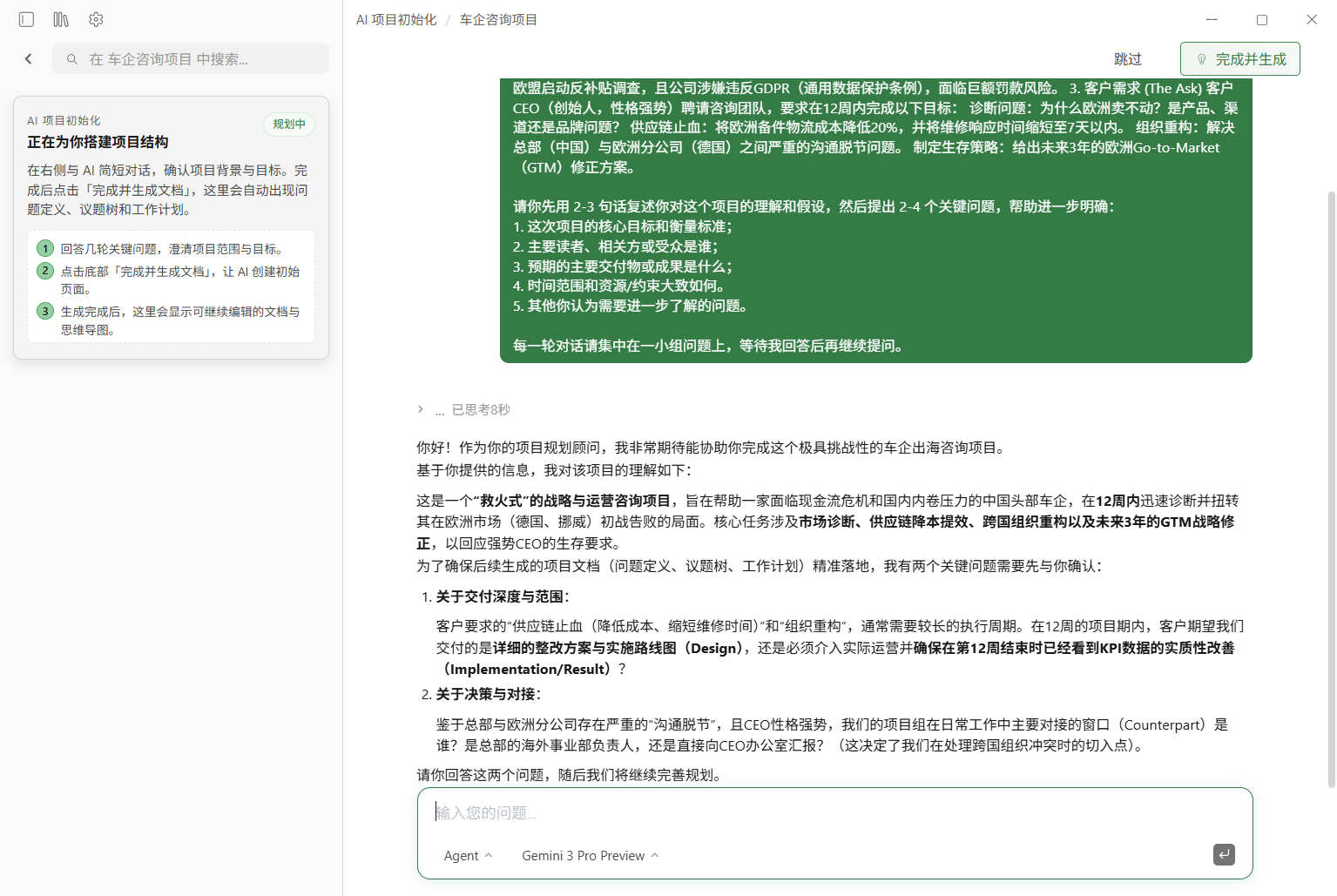
One-click generation: 3 project documents, created automatically
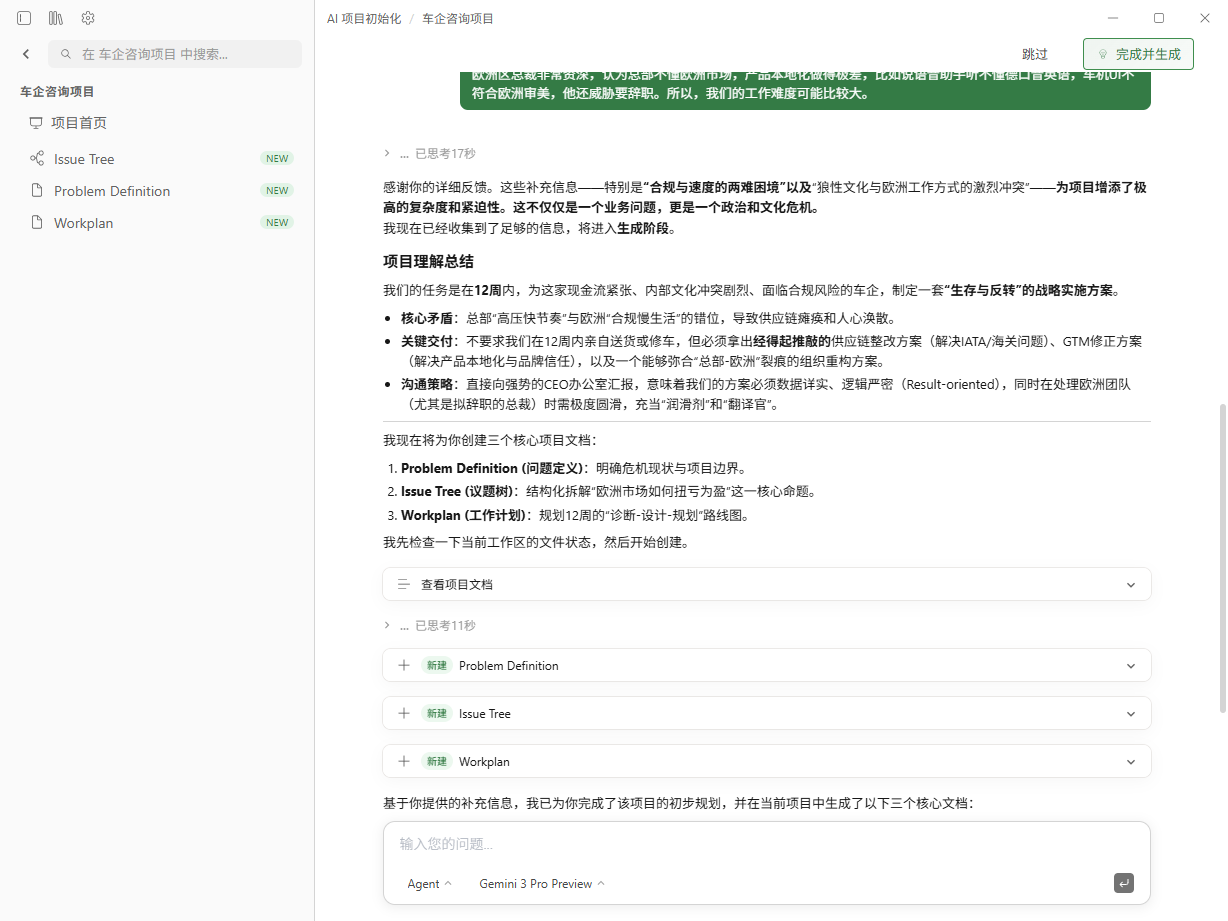
Once the requirements are clarified, the Agent will automatically generate (or you can manually click “Finish & Generate”) the following three documents and archive them in your current project:
- Problem Definition (Markdown): context, problem statement, goals, scope, and more
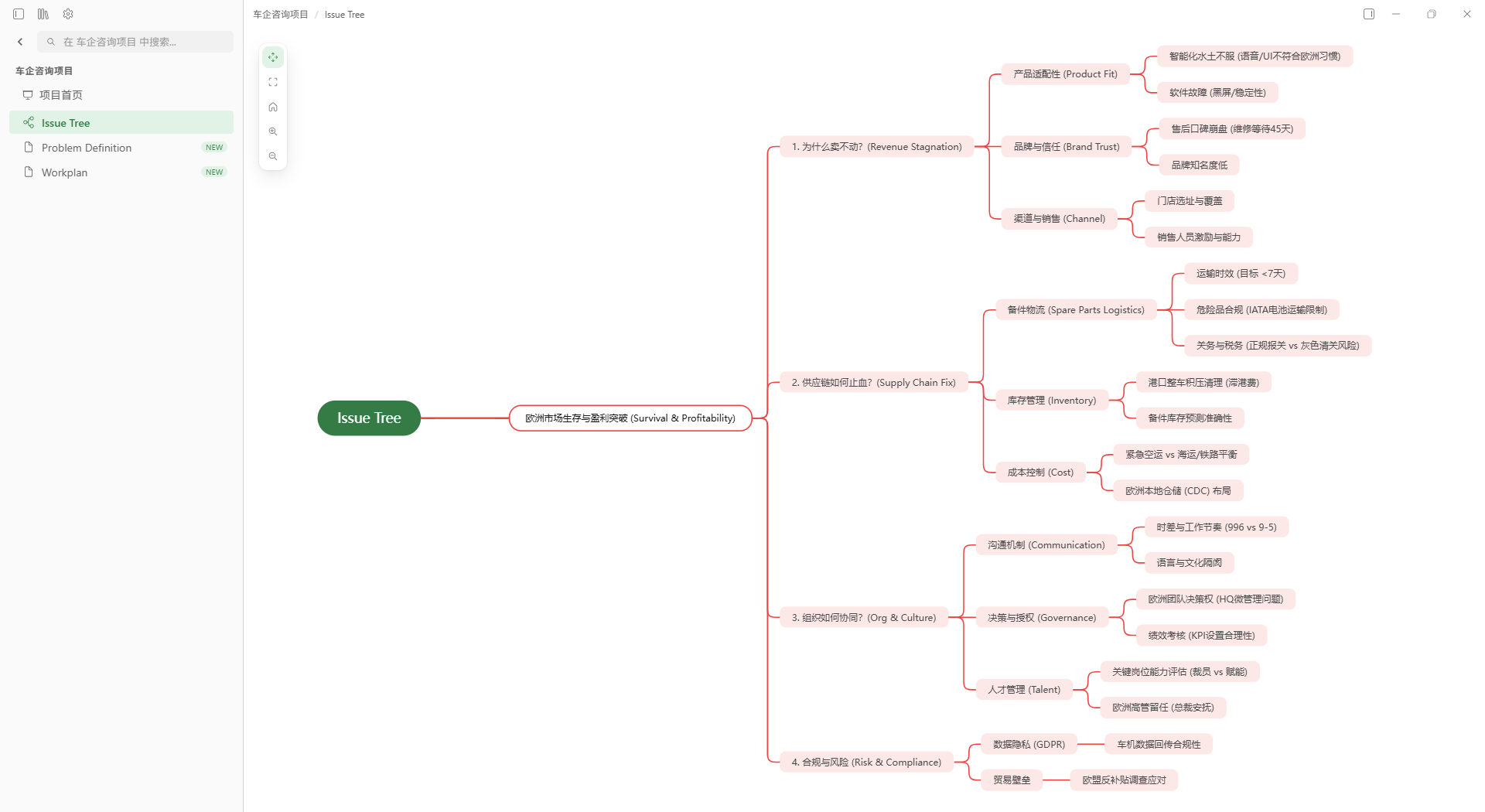
- Issue Tree (Mindmap): a structured decomposition of the problem space
- Workplan (Markdown): phases, timeline, and key milestones
After generation, you’ll see the new files in the sidebar and can continue working right away.
Open and iterate: keep breaking down the Issue Tree
The Issue Tree serves as the structured foundation for your next steps. You can continue refining the map, breaking down sub-questions, adding assumptions and evidence, and consolidating discussion outcomes into an actionable path forward.
Download Linnya to create professional work more efficiently.
Download Free →