Block Versioning
Version control, down to a single block. In Linnya, each paragraph, list, or code snippet is an independent Block. Block Versioning lets you create versions for one block without duplicating an entire document—lightweight, precise, and easy to review.
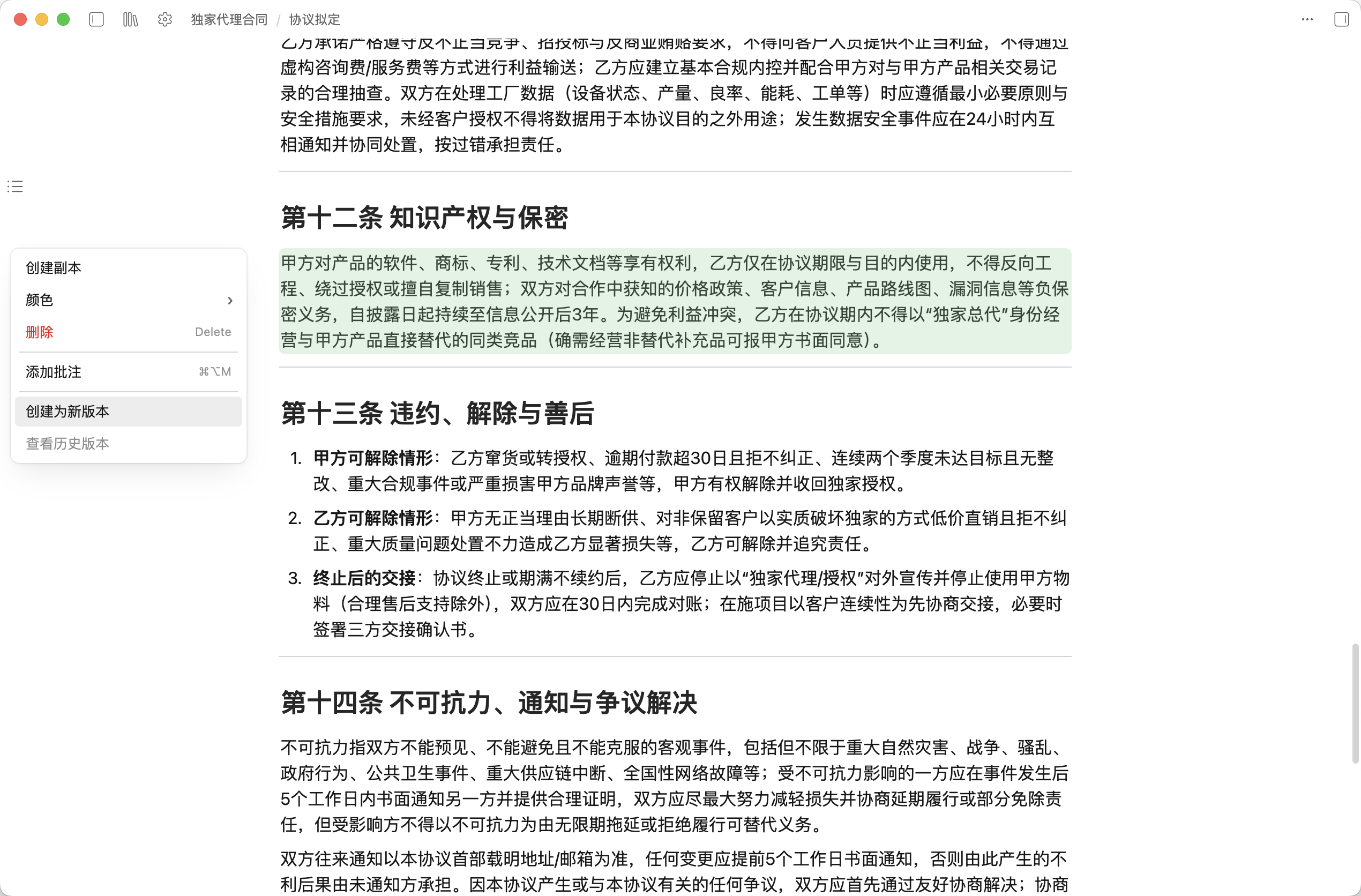
Create a new version for a block
Open the Block menu on the block you want to manage, then choose Create as new version. Linnya will save the current block content as a traceable version node.
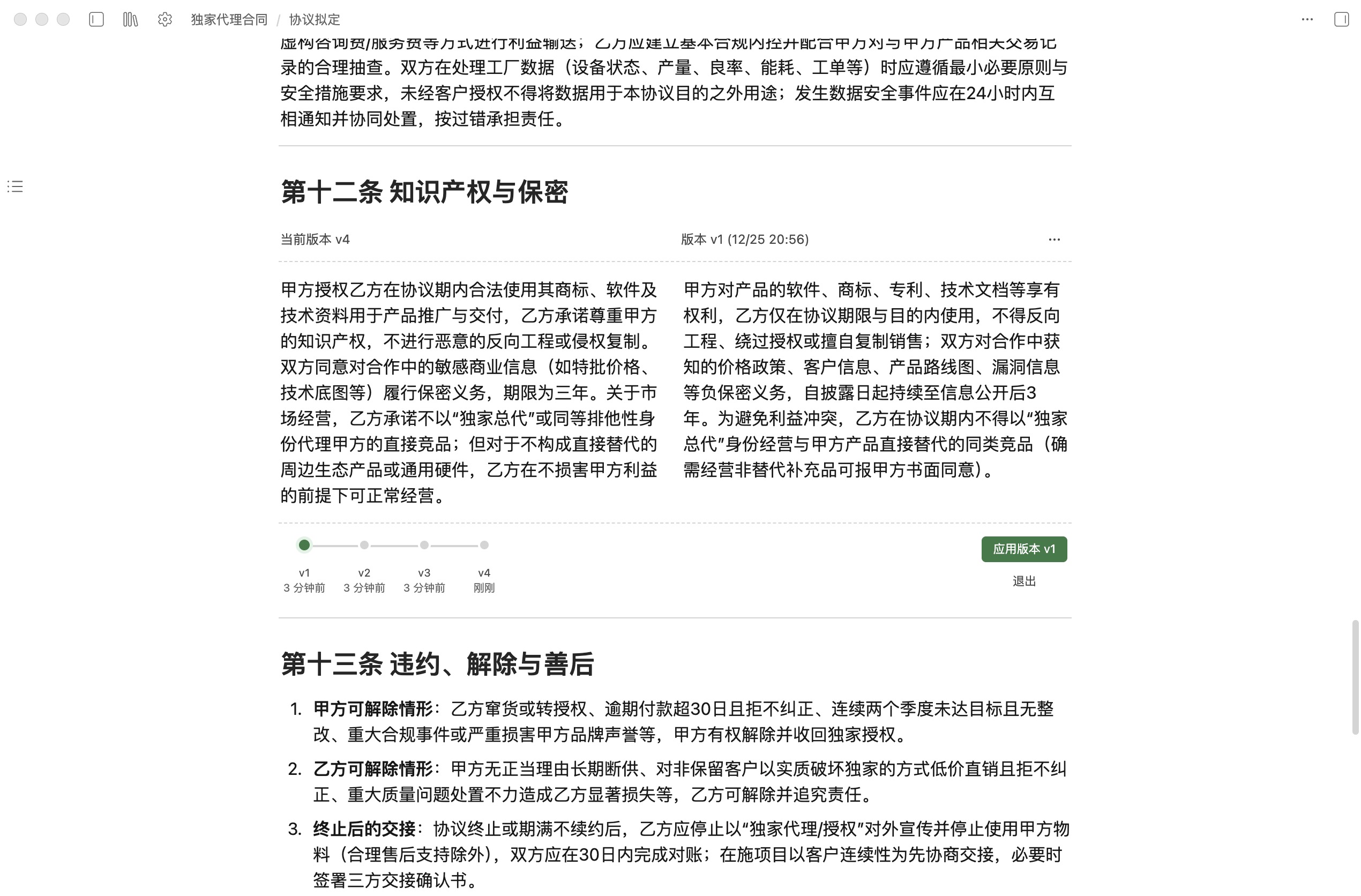
View all historical versions of a block
From the same entry point, open View version history to see every saved version of the block. Each version is a snapshot, so you can quickly jump to the moment you need. When you want to confirm what changed—or restore an older draft—select any version from the list to review and roll back.
Download Linnya to create professional work more efficiently.
Download Free →